How It Works
No app. No installation. Open a browser, enter your code, go live.
Create Your Account
2 minutesSign up with your email. Your free account is ready immediately — no credit card required.
- Enter your email and create a password
- Add your business name
- Verify your email address
Build Your Menu
5 minutesUse Image Studio to design your menu board, or upload your own images. Organise into playlists and set scheduling if needed.
- Create a location (e.g., Main Café)
- Use Image Studio to design or upload your own images
- Organise content into playlists
- Set up scheduling rules if needed
Open on Any Screen
1 minuteNo app or installation needed. Open any web browser on your TV, tablet, Android device, Fire TV, or Windows PC and go to your screen URL.
- Open any browser on your screen device
- Go to your unique screen URL from the dashboard
- Enter your activation code
- Your screen goes live instantly!
Manage Anytime
OngoingUpdate content, change schedules, or add new screens from any device, anywhere.
- Log in from any web browser
- Update content in real-time
- Change schedules remotely
- Changes appear on screen within seconds
Need a menu board or timetable image?
Use our free Image Studio to design beautiful 1920×1080 images — no design skills needed.
Open Image Studio FreeDesign your background with AI
Describe your scene — café, gym, school — and get a professional background in seconds.
Design free
Add your logo, organise up to 4 categories with items and prices, choose your currency and QR code.
Upload to MenuBoard
Export a full 1920×1080 image, add it to your MenuBoard playlist, and it goes live on your screen instantly.
📺 Live on TV
Export a full 1920×1080 image, add it to your MenuBoard playlist, and it goes live on your screen instantly.
Give your customers a digital menu to scan
Create a QR Code Menu in the Admin Area and let customers browse your full menu on their phone. Multi-language, dietary filters, and real-time updates — included free.
Create Your QR Menu — FreeWatch how easy it is to go from signup to live screen
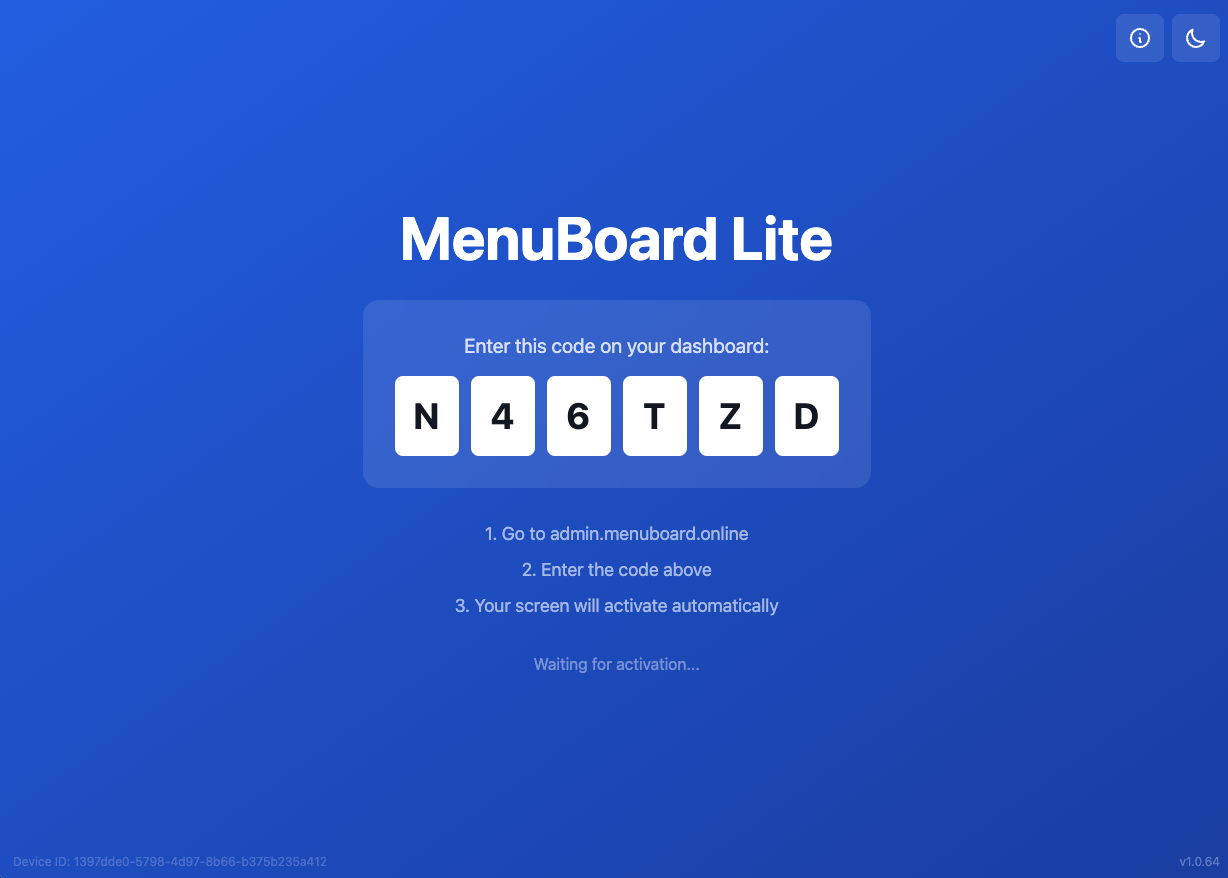
1. Open the app and get the code
Open MenuBoard Online in your browser on the screen device. An activation code is displayed.
2. Go to Admin and add the device
In your dashboard, go to Devices and enter the activation code to pair your screen.
3. Add your playlist to your location
Create a playlist with your images or videos and assign it to the location linked to your screen.
4. Publish it to screen
Hit Publish and your content goes live instantly on every screen in that location.
Ready to Get Started?
Join hundreds of businesses using MenuBoard Online for professional digital signage.
Sign Up for Free Plan